
Process Orchestration for AI Phone Assistants: From Conversation to Process
Why your AI phone assistant needs more than a good prompt – and how process orchestration turns calls into completed business processes.


Yash Pai, VOICO team
10 October 2026 · 8 min read
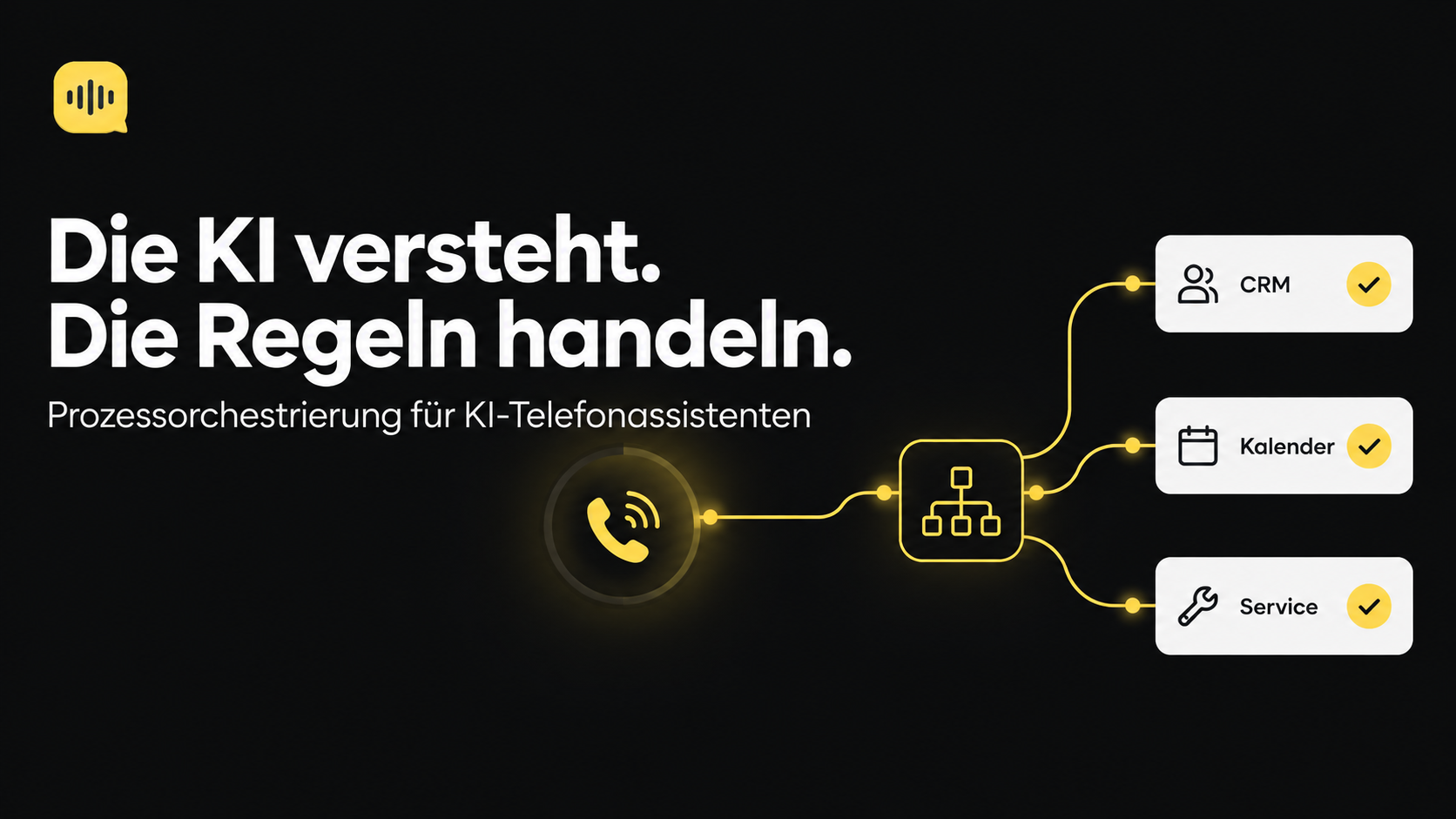
Imagine your AI phone assistant answers a call. It understands the request perfectly, schedules an appointment and hangs up. What happens next? If your systems don't talk to each other, the appointment lands in the calendar – but the CRM knows nothing about it, the workshop isn't informed, and the confirmation text is never sent.
This is exactly where process orchestration comes in. It is the invisible conductor that turns individual actions into a completed business process. In this article, you'll learn what sets process orchestration apart from simple workflow automation, how it works in practice – and when it pays off for your business.
What is process orchestration?
Process orchestration is the central control and coordination of multiple systems to automate a business process from start to finish. While simple workflow automation handles individual tasks – such as “when an email arrives, save the attachment” – orchestration coordinates entire process chains across departments and software boundaries.
An orchestrator acts as a conductor: it knows which step runs when, which systems are involved and how exceptions are handled. For AI phone assistants, this means the conversation is only the beginning. The real value is created when the call automatically triggers all downstream processes.
Workflow vs. orchestration: the difference
The difference between a simple workflow and an orchestrated process becomes clear with the example of appointment booking at a car dealership.
| Workflow | Orchestrated process | |
|---|---|---|
| Trigger | Customer calls | Customer calls |
| Action | Appointment is entered in the calendar | Appointment is entered, customer created in the CRM, workshop notified, confirmation text sent |
| Failure case | Often goes unnoticed | Detected, escalated to a human |
| Outcome | Single task completed | Completed business process |
In short
A workflow automates a task. Orchestration automates the entire process – including all systems, exceptions and handoffs.
Why orchestration and Voice AI belong together
An AI phone assistant is the natural interface between customer and company. It captures requests in natural language – structured, complete, around the clock. But without orchestration, it remains an isolated island.
- Context: Thanks to CRM and calendar integration, the assistant knows the caller's history and available appointments.
- Action: It doesn't just hold conversations – it triggers concrete processes: bookings, enquiries, callbacks.
- Reliability: Every step is logged. Defined escalation paths apply when problems occur.
At a car dealership, this means: the caller says “I need an appointment for an inspection”. The assistant checks available capacity in the workshop planner, books the appointment, creates (or updates) the customer record in the CRM, informs the responsible service advisor and sends a confirmation by text message. All within a single phone call.
Want to see what this looks like in practice?
In a short demo, we'll show you how VOICO answers calls, books appointments and updates your systems – orchestrated from start to finish.
Book a demoHow process orchestration works in practice
An orchestrated process follows a clear logic – comparable to a flowchart that maps decisions and dependencies.
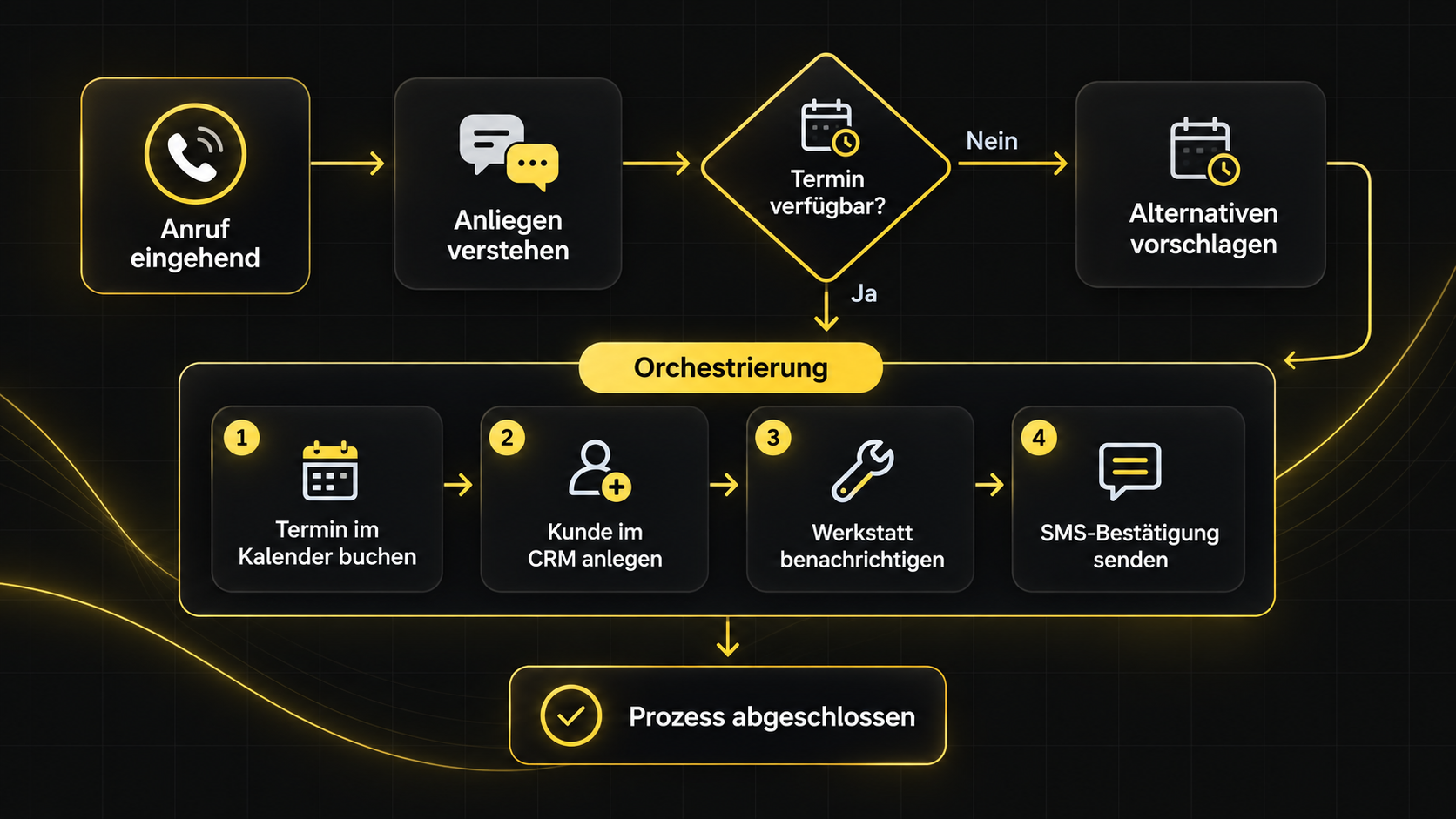
Error handling is crucial: what happens if the CRM is unavailable? An orchestrated system defines for every step whether it is retried, skipped or escalated to a human.
| Step | System unavailable | Business logic error |
|---|---|---|
| Appointment booking | Retry | Suggest alternative appointment |
| CRM creation | Queue for later | Flag record for review |
| Text message | Email as fallback | Notify employee |
When is process orchestration worth it?
Not every process needs orchestration. A simple workflow is enough for forwarding contact forms. Orchestration pays off when multiple systems are involved, failure cases need to be defined and the process is business-critical.
Use this checklist to assess your processes:
- Multiple systems: Are more than two software systems involved in the process (e.g. phone system, CRM, calendar, email)?
- Business-critical: Would a failure lead to lost revenue or customer dissatisfaction?
- High volume: Is the process executed more than 50 times a week?
- Complex logic: Are there branches, dependencies or exceptions?
- Manual handoffs: Do employees have to copy data between systems?
Rule of thumb
The more of these questions you answer with yes, the higher the ROI from orchestration.
Conclusion
Process orchestration transforms your AI phone assistant from a conversation partner into a process starter. The call becomes the trigger for a chain of actions that make your company more efficient – without manual handoffs, without media breaks, without forgotten steps.
The technology is here. Platforms like n8n make orchestration accessible, and AI phone assistants like VOICO bring it directly to the customer touchpoint. The question is not whether, but when you will orchestrate your processes.
More about the use in car dealerships: AI phone assistant for car dealerships
Frequently asked questions (FAQ)
Want to test Voice AI in your business?
In 15 minutes we'll clarify your use case and show how VOICO goes live in your setup.
Book a demo